Pianolyze Preview
Free to try
See what Pianolyze does with your own recording.
- 1 recording, up to 45s
- 5 questions
- No card required
Upload any recording to separate the instruments, see the notes, slow down passages, and more. Ask questions about the harmony, bass line, rhythm, phrasing, or whatever else catches your ear.
Try the first 45 seconds of your first recording free. No card required.
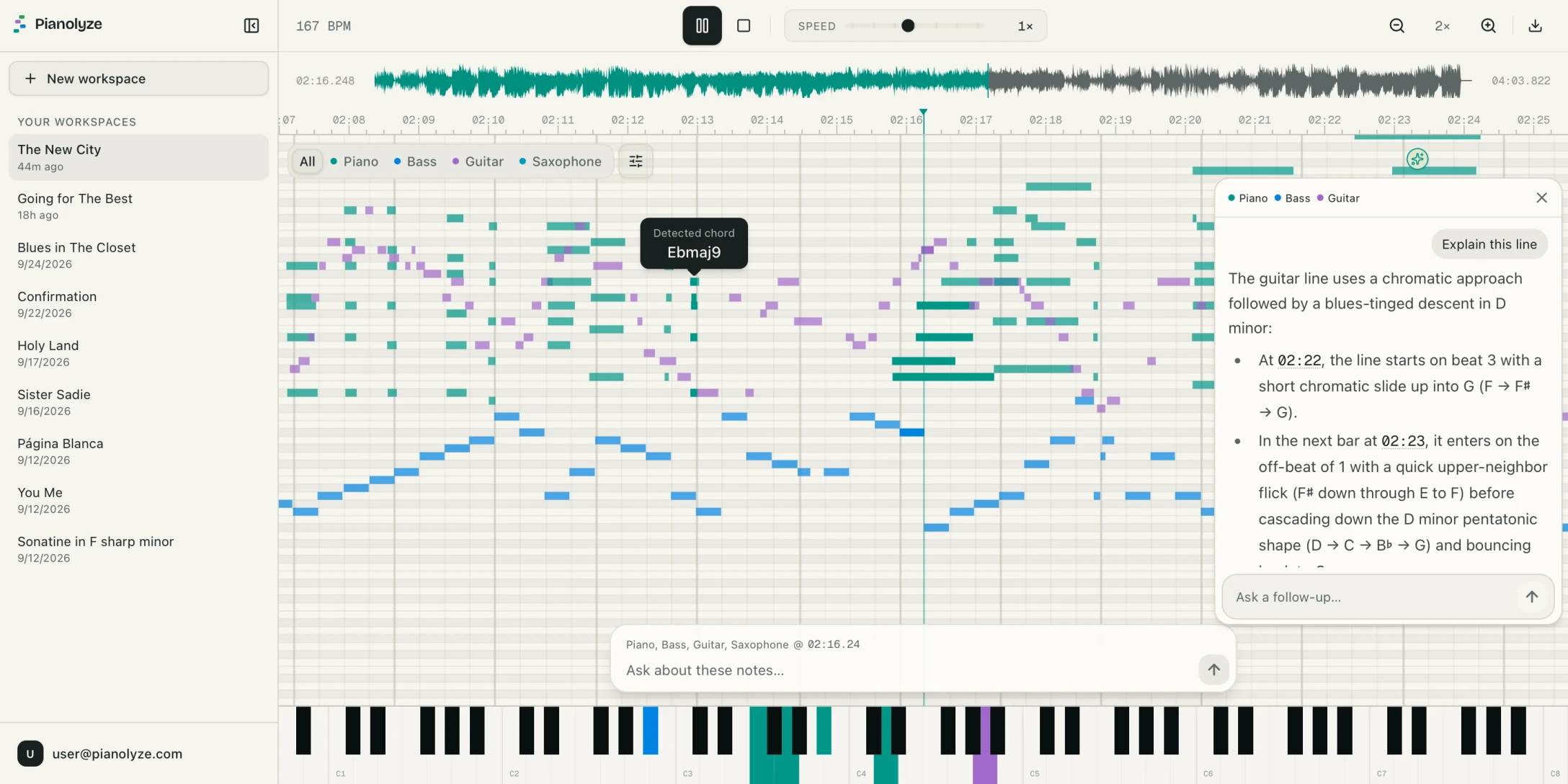
See the melody, bass line, and voicings as the recording plays, with a different color for each instrument.
The recording plays while detected notes move across the piano roll. A vertical playhead marks the current position, and the corresponding piano keys light up. Notes for each instrument appear on separate rows when the overlapping-notes option is enabled.
Buy a Song Pass for one full recording, or choose a monthly plan. Every plan includes instrument isolation, slow playback, looping, MIDI export, and an allowance of AI questions.
See what Pianolyze does with your own recording.
One full recording, whenever you want one.
10 recordings a month
$1.00/recording when you use all 10
For regular practice and transcription.
25 recordings a month
$0.80/recording when you use all 25
For teaching, arranging, and frequent use.
Compare music transcription tools, check which export formats you need, and learn how to turn a recording into editable MIDI.
Compare six AI music transcription tools for piano, mixed recordings, MIDI and sheet music, including free options and server-processing limits.
Compare Songscription alternatives for MIDI, piano scores and isolated listening. Separate free models from short previews and paid full-song exports.
Looking for a Piano2Notes free alternative? Compare free local models, online previews and paid tools for piano MIDI, sheet music and mixed recordings.
Convert a piano recording or full song into editable pitched MIDI tracks. Learn how to inspect separated parts and import the result into a DAW.
Upload and analyze your own file. No card required.